
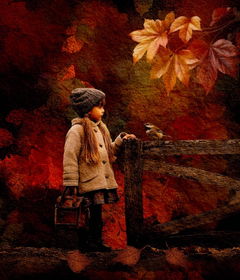
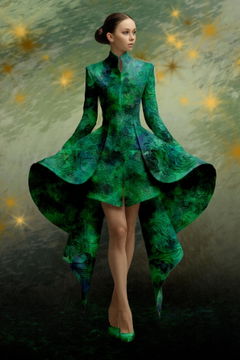
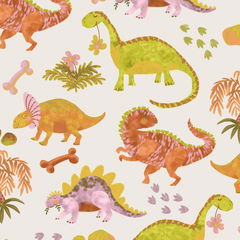
A new creative highlight from Jessica that I fell in love with right away. The Fiber Art brushes and Layer Styles make it possible to create artistic images that are almost indistinguishable from real textile art. With her attention to detail, Jessica has created brushes that inspire all creative people to start using them in their work as soon as possible.
I really love and appreciate your work—a huge thank you to you, dear Jessica!
Hi Jutta, oh gosh this really makes me happy to hear! First off, thanks so much for supporting my creative work and my brushes! It's my fellow creators like you who support my work, which gives me freedom to experiment and find these techniques. I am really glad you are loving the fiber effect brushes, and I am looking forward to sharing lots of creativity with them! I am already brewing up some holiday designs soon! Thank you Jutta!!!
The brushes didn’t actually work for me BUT all the stuff that came with the sample was amazing 🤩 so that is why this is still a ⭐️⭐️⭐️🌟🌟 product
Hi there Emma, I am so glad that you love all of the accompanying sample materials! Just a heads up, if you have either of the required programs, there is no reason they brushes won't work, so you can always send me a message via the chat form on my site or contact page and I can help troubleshoot where the issue is! Thank you so much for your review! Jessica
These brushes are absolutely stunning, I can tell how much hard work was put into making them as it really shines through when working with them.
OMG Thank you!!! 😭 It makes me so grateful and happy to hear that my fellow creators appreciate all of the work I put into these brushes! I look forward to lots of my fellow creators making digital art inspired by the textile and fiber arts in future!!! happy creating and thanks for the support on my Photoshop (and now Procreate) brushes! wheeee! xx jess
These are beautiful and exceellent brushes.
HI Marisela, thank you so much! I am so happy you are enjoying the fiber effect brushes and think they are beautiful! 🙏🙏 very happy creating! x jess
These Photoshop fiber textured brushes are excellent! The textures are natural, detailed, and easy to work with. They add depth and a realistic hand-crafted feel to my artwork without looking repetitive. The brushes are high quality, responsive, and blend beautifully, making them perfect for illustrations, digital paintings, and textile or surface pattern designs. They were easy to install and have quickly become a regular part of my workflow. Highly recommended for anyone looking to add authentic fiber textures to their digital art!
Hey Maurilius! THANK YOU so much for the review, I truly worked so hard to make this fiber textured brushes as perfect as possible, with as many options so that both Photoshop and Procreate users can make digital art inspired by fiber and textile arts easily and have fun doing it! I have delighted to see your artwork using the brushes, you are beyond talented!!! xx jess